Use case · Retrospectives
An online retrospective board that runs the retro for you
Freero’s guided retro takes the team through every step on one board: write alone under a timer, reveal, group, vote, discuss and leave with action items that have an owner. An AI agent can group the notes into themes while you talk.
How a guided retro runs
The facilitator picks Run a retrospective… in the board menu, chooses a format, the writing time and the votes per person, and Freero moves everyone through the steps.
Write
Everyone adds notes on their own under a shared timer. Nobody sees anyone else’s notes yet, not even in the data the server sends.Reveal and group
The facilitator reveals all notes at once, with or without names, and similar notes are grouped, by hand or by colour in one click.Vote
Each person spends a set number of votes on what to talk about. Votes stay hidden until the results are shown as a ranked list.Discuss and act
Talk through the top topics, then turn what you agreed into action-item cards, each with an owner.
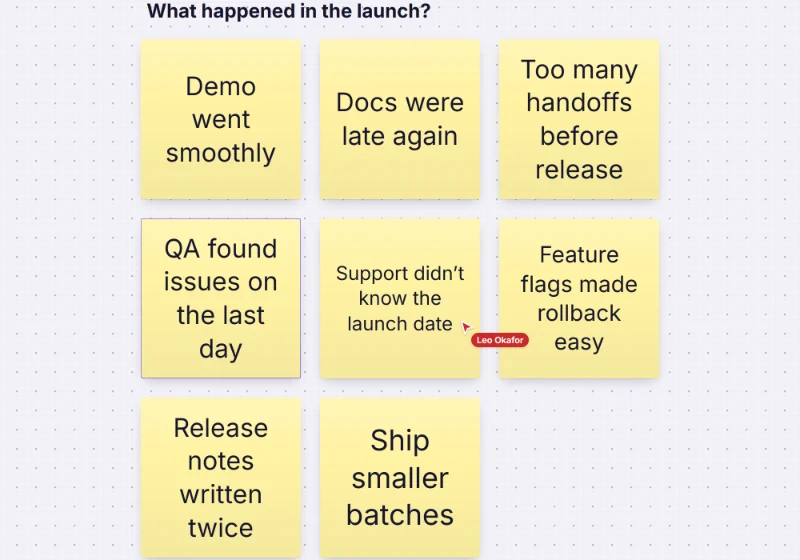
Facilitator controls can limit participants to sticky notes while they write, and the retro ends them with itself. Formats offered: Start, stop, continue · Went well, to improve, actions · Liked, learned, lacked, longed for · or whatever is already on the board.
Let an agent do the sorting
Connected over MCP, Claude, ChatGPT or another assistant reads the retro board and proposes the themes and actions. Nothing changes until someone accepts.
You ask: “Group the retro notes into themes.”
What happens It proposes clusters with a title each, shown as ghosts on the board for you to accept or reject.
You ask: “Turn the top themes into action items and send them to Jira.”
What happens It proposes action cards, then sends the accepted ones to your tracker through the same sync people use.
Needs: permission to change boards, for the tracker step
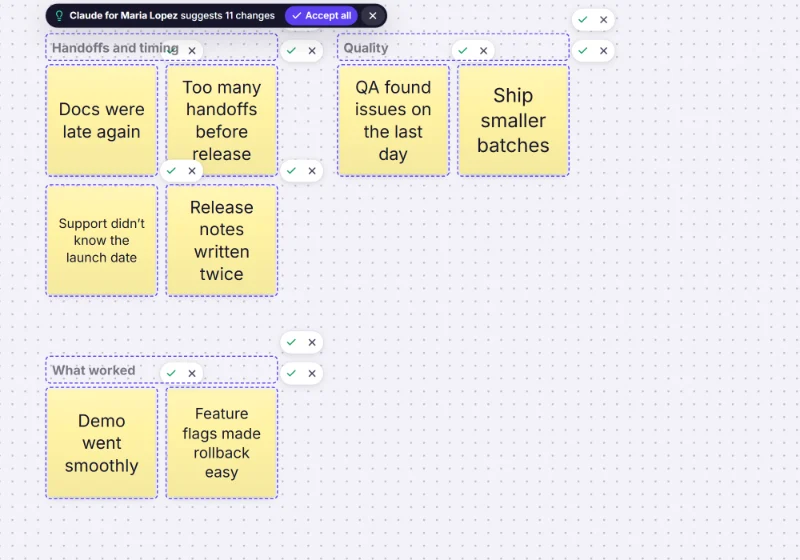
Freero’s MCP server includes a run_retro prompt that sets an assistant up to do exactly this. Set it up for Claude, ChatGPT or any MCP client; how it works is in the MCP guide.
Retrospective templates

Retrospective
Went well, to improve and action items: a calm, classic sprint retro.
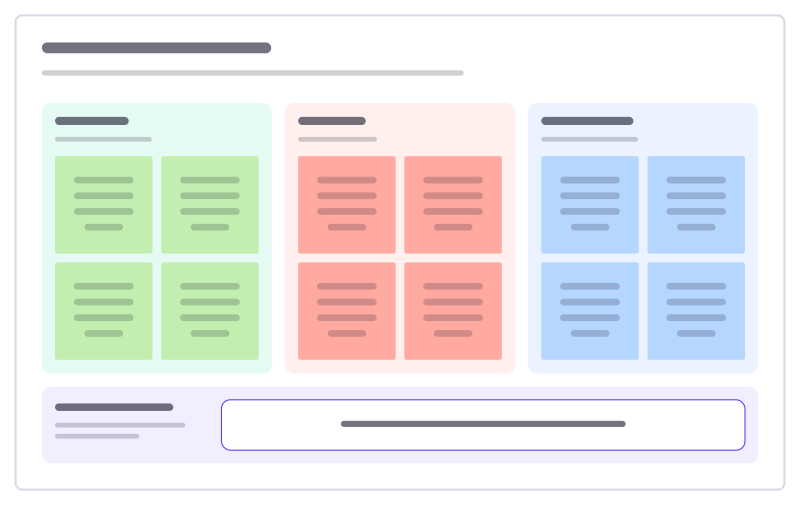
Start, stop, continue
A quick retro: what to begin, what to drop, what to keep, and one experiment.

Liked, learned, lacked, longed for
A reflective retro in four quadrants that looks at learning, not only problems.

Hot air balloon retro
A picture-led retro: what lifts the team, what weighs it down, the weather ahead and where the balloon should go next.
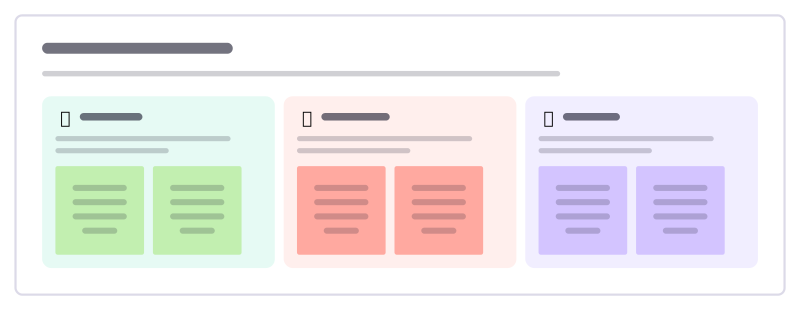
Rose, thorn, bud
A quick round where everyone shares a highlight, a struggle and something just starting to grow.
Team health check
A quick traffic-light read on how the team is doing across a few areas, compared with last time so trends stand out.
Incident postmortem
A blameless review: summary, what happened, five whys to the root cause and owned actions.
More ways teams use Freero
- Planning poker: Estimate cards with sealed picks, reveal together and write the agreed value on the card.
- Workshops: Run a workshop on one board: private writing, dot voting, a shared timer, follow the facilitator.
- Jira planning: Turn sticky notes into Jira issues on Cloud or Data Center, and keep both in step.
- Roadmaps: A roadmap on a timeline from Jira, Linear or GitHub issues, with bars that sync their dates.
- Brainstorming: Ideas on sticky notes, written privately against a timer, clustered and dot-voted down to the few worth trying.
- User story mapping: A story map of activities, user tasks and release slices, estimated and sent to Jira, Linear or GitHub.
- Agent control room: A board where AI agents post their plan, status and tasks, and people steer them.
Frequently asked questions
Can people write retro notes anonymously?
Yes. During the writing step every note is private: the server sends it to nobody else until the facilitator reveals all notes at once, and the facilitator can switch on Anonymous so notes are revealed without names.
Do participants need an account?
People you invite sign in with their Freero account. With a share link, guests can join a board without an account, if the board’s workspace allows public links.
Can the action items go to Jira?
Yes. Select the action cards and send them to Jira, Linear or GitHub as one issue or one per card. Each card then shows its issue’s key, status and assignee, kept in sync both ways.
Bring your team and your agents to one board
Free to use, open source, and yours to host. No credit card, no seat count.