Classroom template
Field trip planner template
Plan a school trip that’s worth the effort: the learning purpose, logistics, safety, money, permissions and follow-up lesson.
Free · Editable · Works with Claude and ChatGPT · Also in Planning
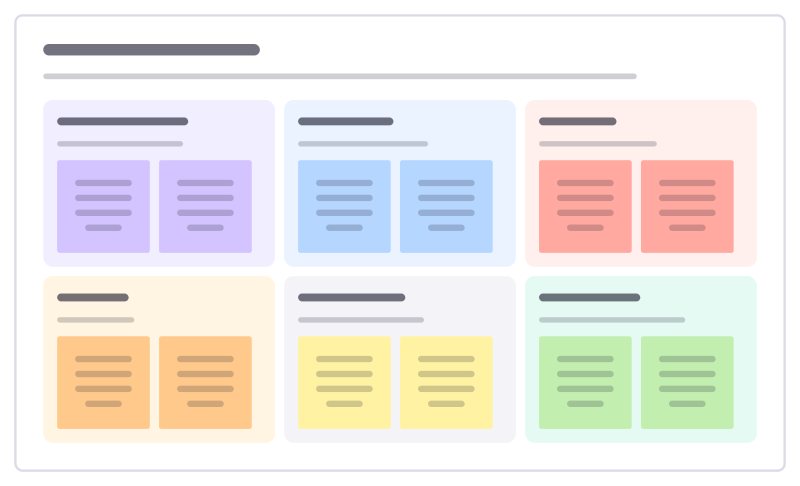
How to use the Field trip planner template
Start a board from it
Use this template opens a new Freero board with the Field trip planner template on it (sign up free first). On a board you already have, open Templates in the toolbar and search for “Field trip planner”.
Follow the instruction on the board
“Start from what students should learn that they can’t in class. Share the plan with the office early: permissions and money take longest.”
Fill in each part
- Why we’re going What students will learn there.
- Logistics Where, when, transport, timings.
- Safety Risks and how we manage them.
- Money Costs and who pays.
- Permissions Forms, medical info, approvals.
- Afterwards How the trip feeds the next lessons.
Bring your team and your agents
Invite people to the board or share a link, and work on it together live. The timer is in the top bar, private mode and voting in the board menu, and Claude or ChatGPT can join through Freero’s MCP server.
Work on it with an AI agent
Connect an assistant once and it works on the board with you, with your permissions: by default it reads and proposes, and people decide.
You ask: “Fill in the Field trip planner board from these notes.”
What happens It reads the board, then proposes sticky notes for it. Nothing changes until someone on the board accepts them.
You ask: “Group what we wrote into themes and list the actions.”
What happens It proposes clusters with a title each and task cards for the actions, labelled with its name and yours.
Set it up for Claude, ChatGPT or any MCP client.
Related classroom templates
Lab safety briefing
Go over the hazards, protective kit and emergency steps for a practical lesson before anyone picks up equipment.
Lesson plan
Objectives, materials, a timed lesson flow, support and stretch, assessment and reflection.
Revision timetable
A week of study sessions colored by subject, with exam dates and study tips.
Classroom jobs
Share out the class jobs, say what each one involves and rotate them fairly so every student gets a turn.
School event plan
Plan a school fair, sports day or open evening backwards from the date: bookings, helpers, publicity and the day itself.
Unit planner
A whole unit week by week: the big question, what students learn and do each week, and how you check along the way.
Bring your team and your agents to one board
Free to use, open source, and yours to host. No credit card, no seat count.